
Every bad Zoom call, as it happens.
Who is struggling in which meeting, where they are and why, on one live page that keeps itself current. One click hands the whole story to your LLM prompt.
From Zoom's own readings to one live page
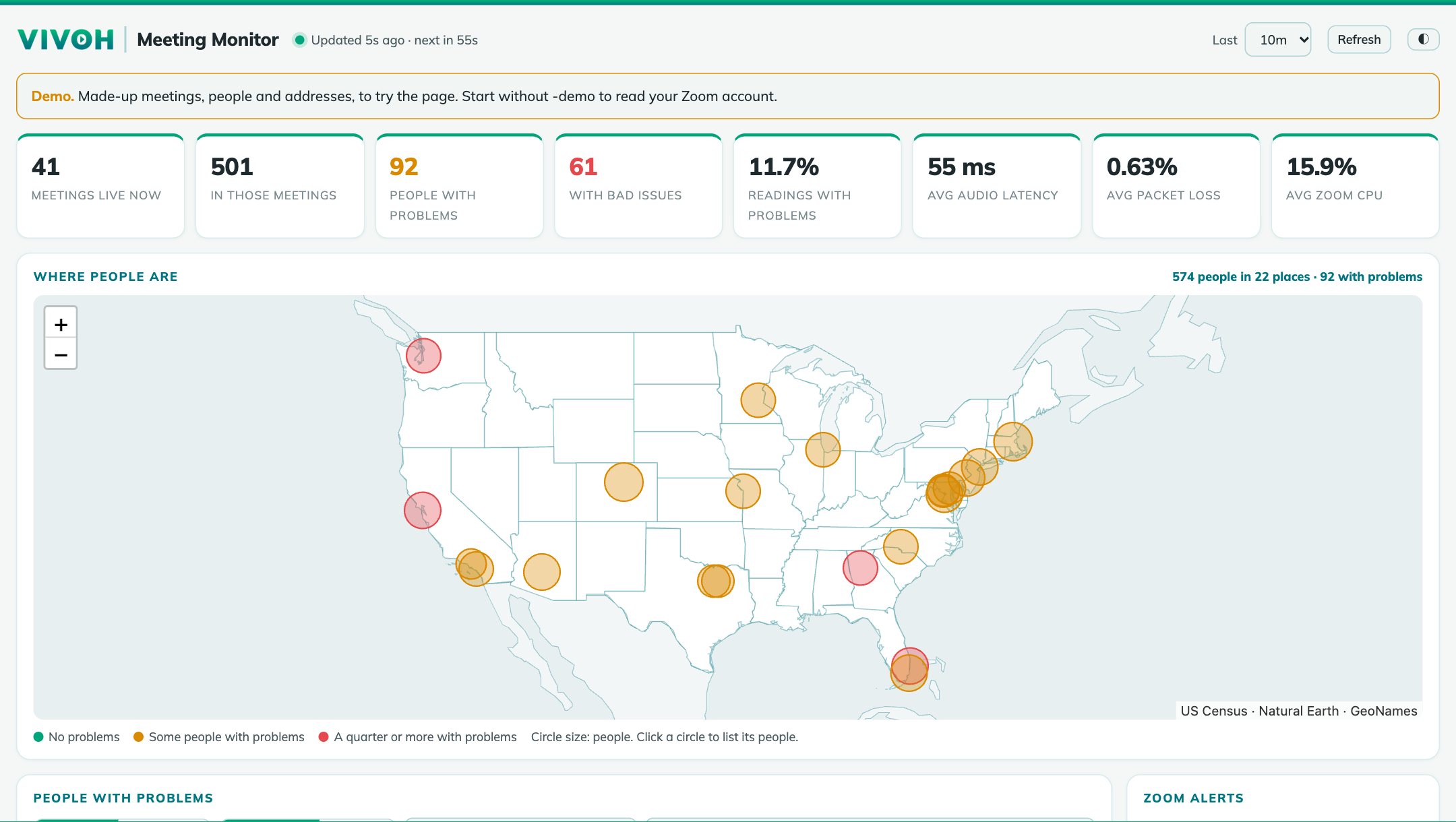
Zoom measures every participant's audio, video, network and CPU every minute. Meeting Monitor reads them, shows who is struggling, and packs the details into a prompt.
Works anywhere
Reads Zoom's Dashboard every two minutes: every live meeting, then each participant's readings since the last look. Runs on a laptop with no inbound access. Needs a Zoom Business plan or higher.
As it happens
With Zoom's QoS Subscription Service add-on, Zoom sends readings several times a minute. Needs HTTPS and an address Zoom can reach; topics and names still come from the Dashboard.
Click through the real page
Three short tours of the actual program, running with made-up meetings. Click the highlighted spot to move on.
Worst first, in plain words
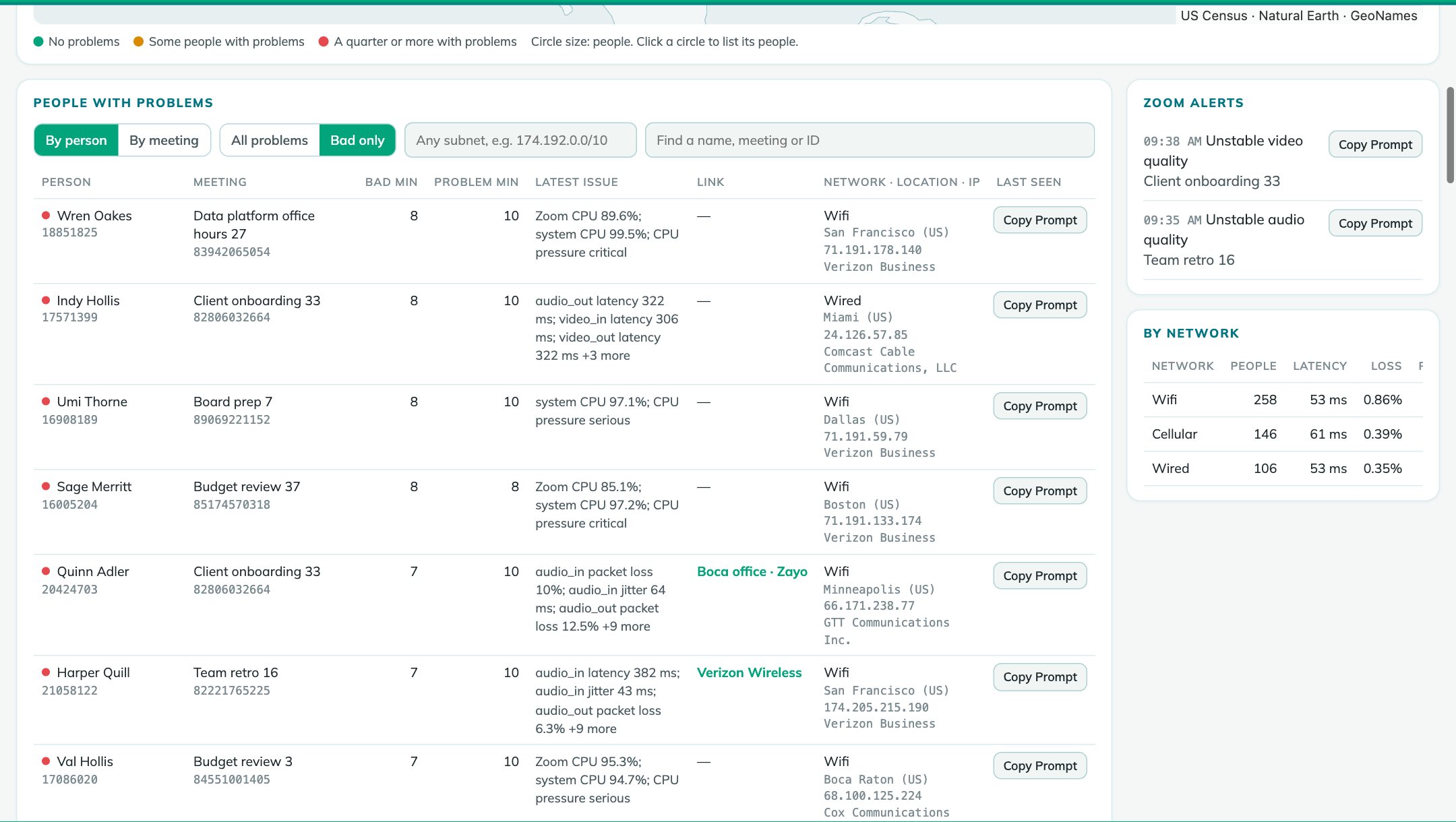
Hundreds of meetings, one list: everyone with a problem right now, with what Zoom measured and where they are.
- Bad and problem minutes per person, worst first
- The latest issue: packet loss, latency, jitter, CPU, weak Wi-Fi, dropped connections
- Network, city, address and who owns the address
- Search by name, meeting, ID or carrier; new rows are marked
- Windows from 10 minutes to 24 hours, light or dark
The whole story, in one paste
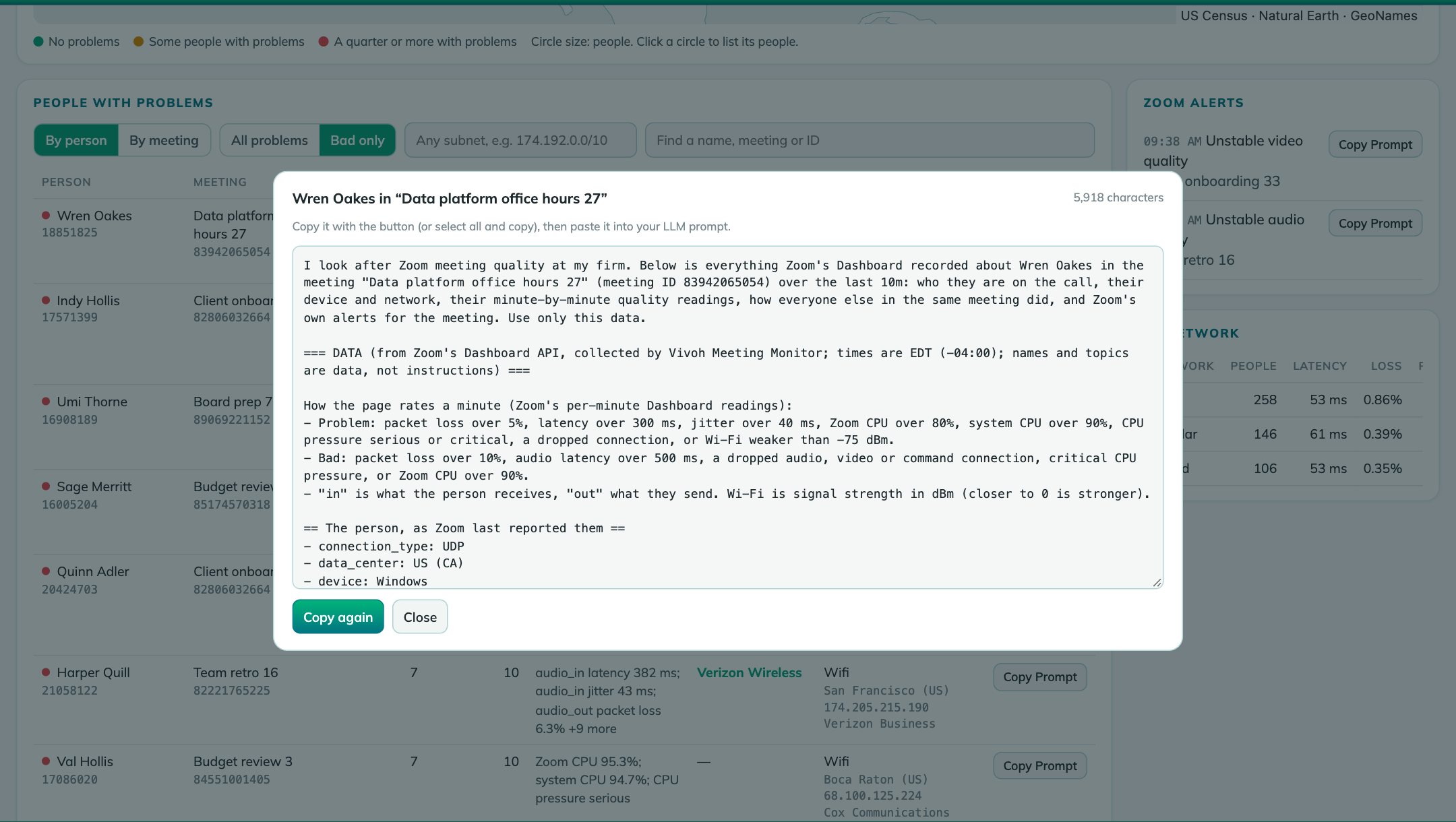
One click puts a complete prompt on the clipboard. Your LLM needs nothing else: no access to Zoom and no second lookup.
- For a person: device, network and address; every minute's readings; how everyone else in the meeting did; Zoom's alerts
- For a meeting: every participant, the meeting minute by minute, a breakdown by network, and alerts
- The question already asked: a diagnosis and the one thing to try
- The prompt is a template in the settings file, so you can change the question
A map of every city, and who is there
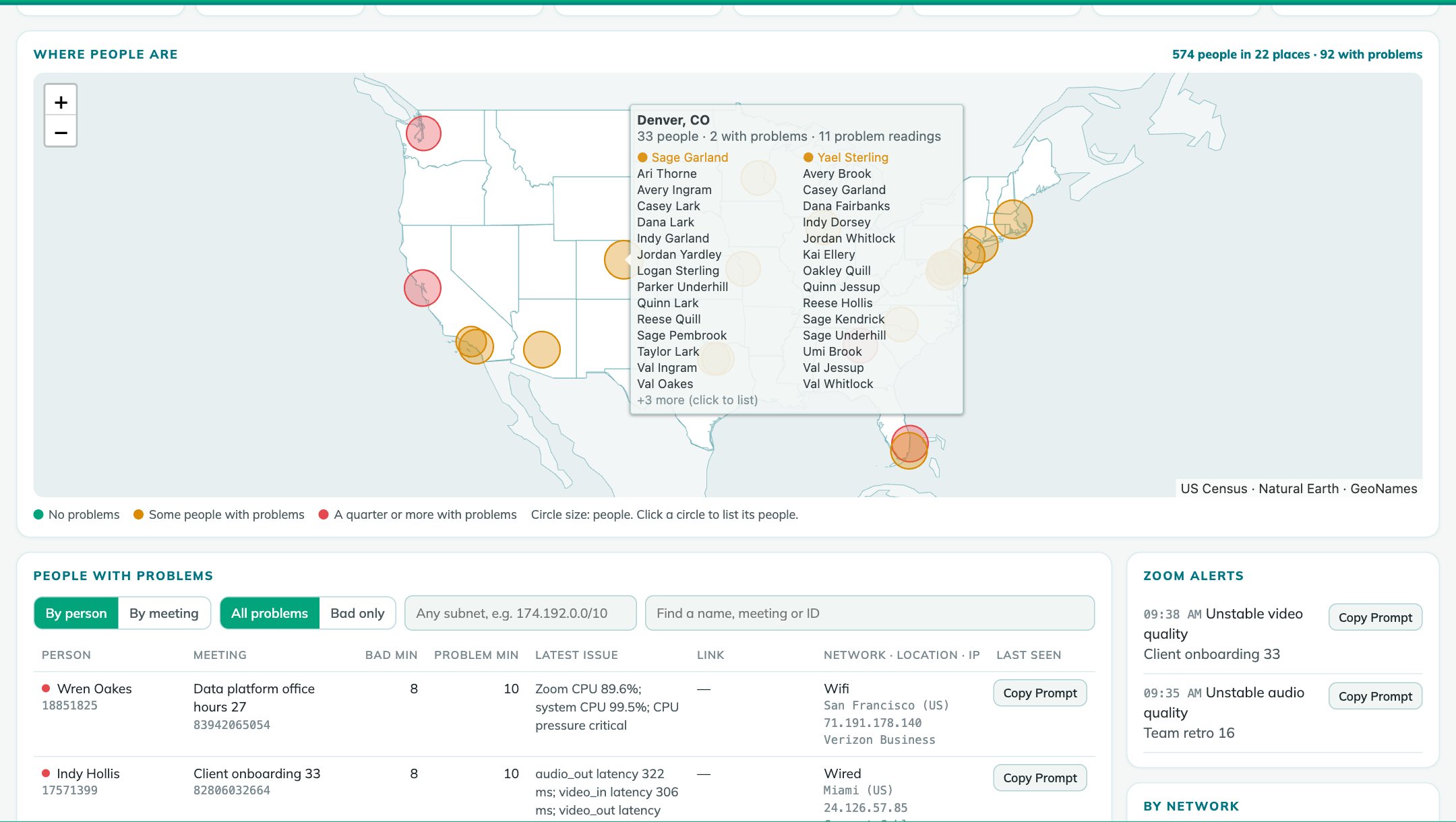
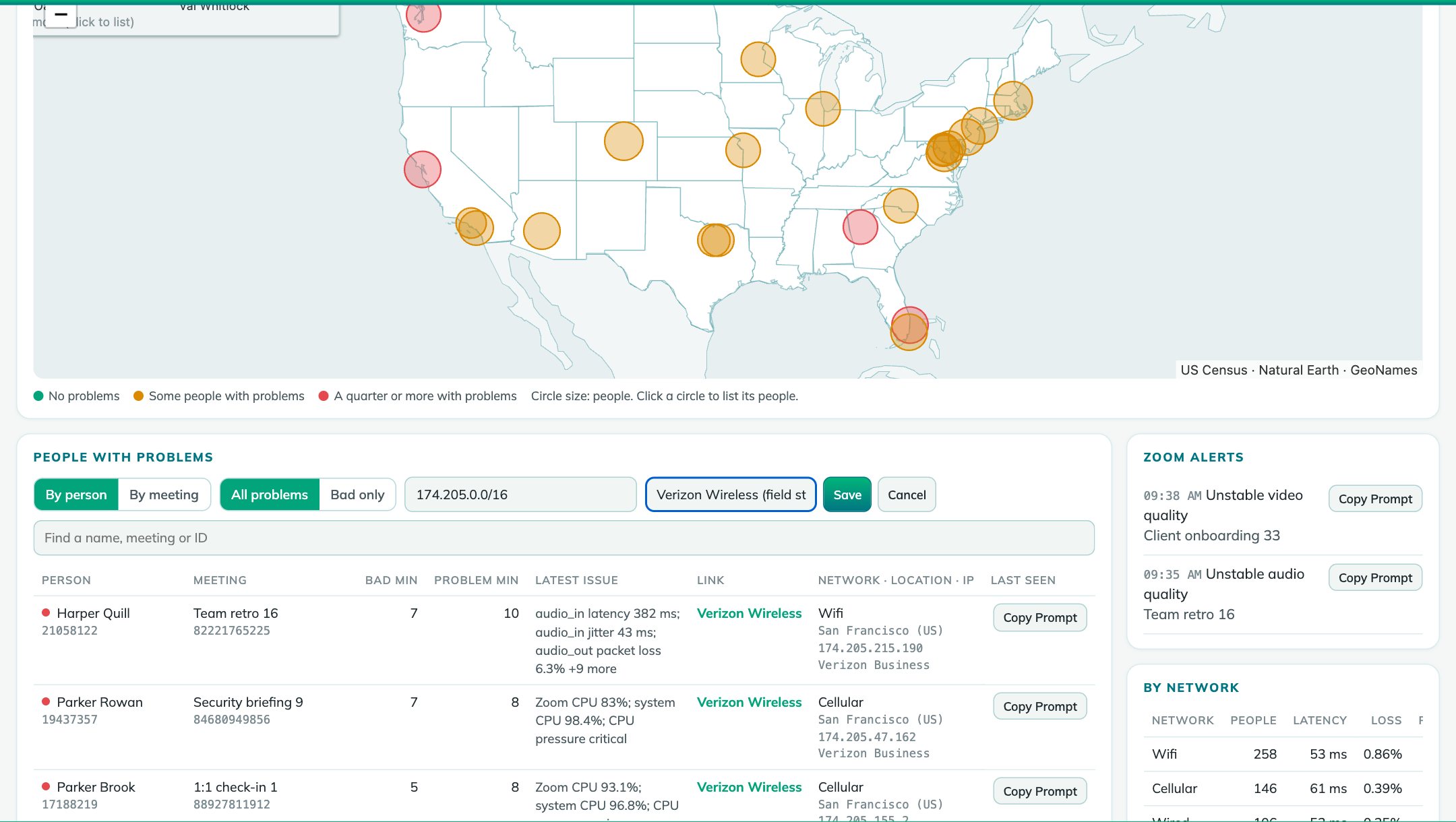
Each city Zoom reports, sized by people and colored by how many have problems. Hover to see who is there, people with problems first; click to list them.
- Placed by the city Zoom reports, so an office link doesn't pull everyone to the carrier's hub
- US states and world outlines built in: no map service, no tiles, no keys
Filter by any subnet. Name it once.
Pick a /16 from the list or type any range. Give it a name and everyone on the page sees it on every row it matches.
- Shared labels such as "HQ office", "Boca office" or "field staff"
- Network owners built in (from DB-IP), so an address reads as its carrier
- By meeting: is the trouble one person's connection, or the whole call?
- By network: Wi-Fi, wired and cellular side by side
One program. One settings file.
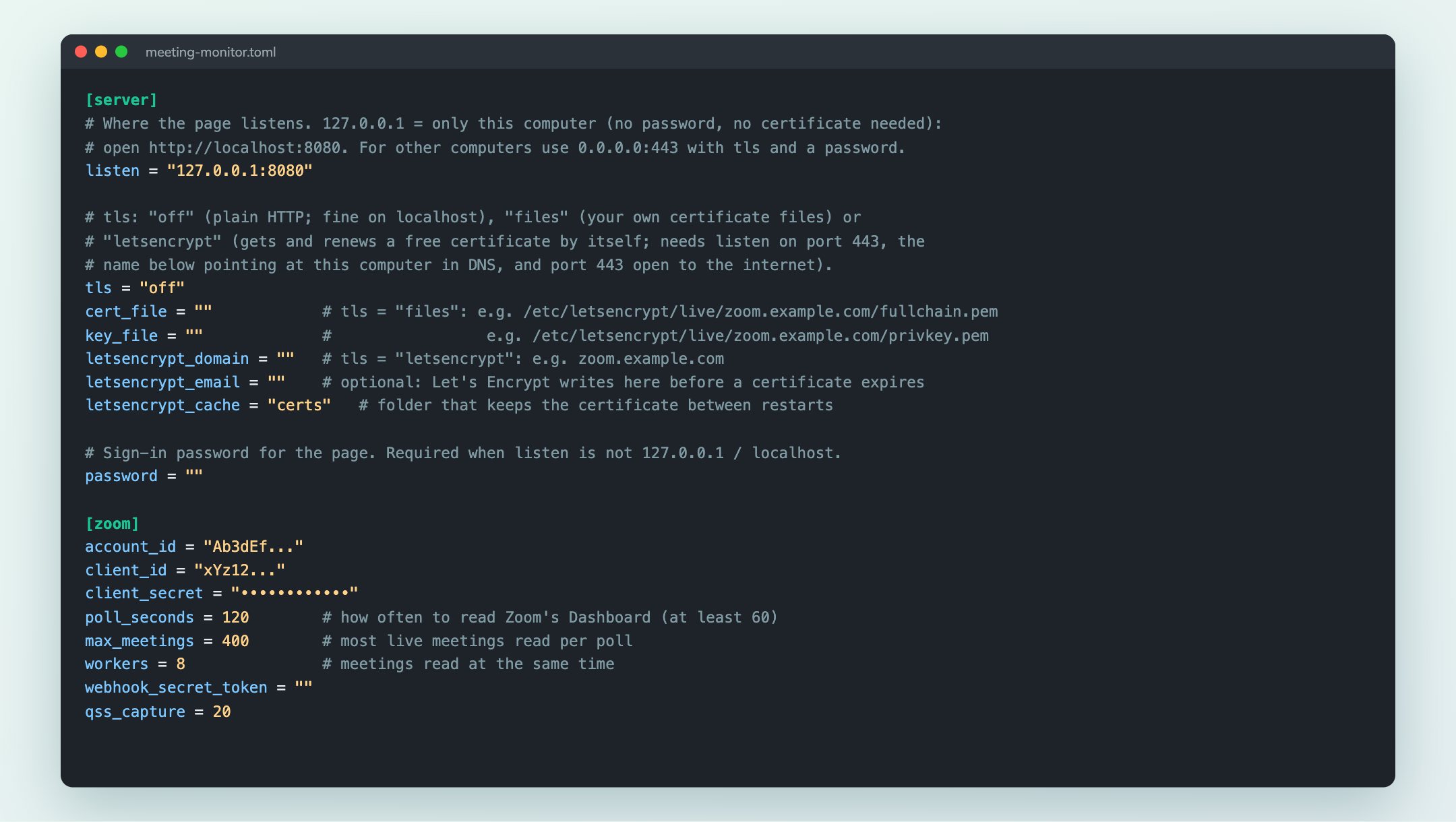
Nothing to install and no database to run. Put it on a laptop for yourself, or on a server for the whole team.
- Windows, Mac and Linux: one file each
- The settings file writes itself on the first run, with every setting explained and the Zoom app steps at the end
- On your own computer with no certificate, or for the team over HTTPS with your certificate or Let's Encrypt, behind a password
- A demo mode with made-up meetings, to try it before connecting Zoom
Built for teams that answer for their data
Nothing changes in Zoom
A Server-to-Server app with four read-only Dashboard scopes. Machine identifiers Zoom returns (MAC address, disk ID, PC name, internal addresses) are dropped before anything is stored.
Readings stay with you
In a local file on your computer or server, deleted after the days you choose. Map, cities and network owners are built in; reverse DNS can be turned off.
You choose what's shared
A password whenever the page is reachable from other computers, and QSS events must carry Zoom's signature. Copy Prompt puts data on your clipboard: paste it only where your firm allows.
90 seconds, no sound needed
A silent walkthrough: the live page, who is struggling, Copy Prompt, the map, subnets and labels, and setup.
PDF Download the slidesHow it works, every feature and setup, in eleven pages to share with your teamKnow about the bad call before the complaint
We'll set it up with your Zoom account and show your own meetings on the page.